




/What is application security automation and how does it work?
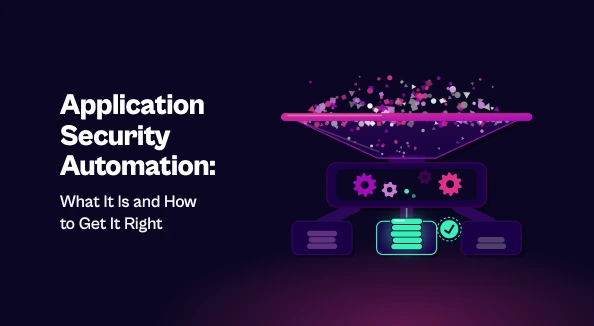
Application security automation uses tools and workflows to find, prioritize, and fix vulnerabilities across the software development lifecycle. It runs security checks at each stage, from code and build through testing and runtime. Strong programs go further than scanning. They also deduplicate findings, prioritize them by real risk, route them to the right owners, and verify fixes. Done well, this cuts remediation time, keeps policy enforcement consistent, and reduces noise for developers, so security keeps pace with release speed.
Development teams ship code daily, sometimes hourly. Manual security reviews can’t keep up with that pace, and the result is predictable: security either slows releases down or gets skipped. Application security automation addresses this by building security into the way software is already built, tested, and shipped.
What is Application Security Automation?
Application security automation is the use of tools and workflows to find, prioritize, and fix vulnerabilities across the software development lifecycle (SDLC) with minimal manual effort.
Most people think of it as automated scanning, but scanning is only the first step. A mature program also automates what happens after a finding appears: triage, assigning ownership, tracking remediation, and verifying the fix.
It differs from general security automation in scope. General security automation covers infrastructure, networks, and incident response. Application security automation focuses on the code, dependencies, and pipelines that produce your software.
Why Application Security Needs Automation
Three pressures make manual AppSec unsustainable:
- Release velocity. CI/CD pipelines push changes faster than any security team can review by hand.
- Finding volume. A typical AppSec stack includes several scanners, each producing its own stream of results. Together they produce thousands of findings, many of them duplicates or low-risk.
- Limited headcount. Developers far outnumber security engineers. Without automation, the security team becomes the bottleneck.
When security can’t keep pace, teams start working around it. Automation keeps security in the process without slowing it down.
Where to Automate Across the SDLC
Effective programs spread automation across every stage instead of concentrating it in one place.
Code. Static application security testing (SAST) and secrets scanning catch insecure code and exposed credentials as developers write them. IDE plugins and pre-commit hooks surface issues before code leaves the developer’s machine.
Build. Software composition analysis (SCA) checks open-source dependencies for known vulnerabilities. Infrastructure-as-code and container image scanning run in the CI/CD pipeline and flag misconfigurations before deployment.
Test and staging. Dynamic application security testing (DAST) and API testing probe running applications for issues that static analysis can’t detect, such as authentication flaws and injection points.
Runtime. Monitoring continues after deployment. Findings from production should feed back to development, so recurring issues get fixed at the source.
What to Automate Beyond Detection
Detection alone creates a backlog. The real value of application security automation comes from automating the work that follows.
Deduplication and correlation. The same vulnerability often shows up in multiple tools. Automatically merging these findings gives teams one accurate picture instead of several overlapping ones.
Risk-based prioritization. Not every vulnerability matters equally. Automation can factor in exploitability, whether vulnerable code is actually reachable, and the business importance of the affected application. This narrows thousands of findings to the ones worth fixing first.
Ownership and routing. A finding with no owner never gets fixed. Mapping findings to the right team or repository, and opening tickets in the tools developers already use, removes the manual handoff.
Fix validation. Once a fix is merged, automated rescans confirm the issue is actually resolved, and the ticket closes. This keeps the backlog accurate.
Benefits of Application Security Automation
- Faster remediation. Less time spent triaging and routing means lower mean time to remediate (MTTR).
- Consistent enforcement. Policies apply the same way to every build, rather than depending on who reviewed what.
- Less noise for developers. Developers see fewer, more relevant issues, with clear context on why each one matters.
- Unified visibility. Security leaders get a single view of risk across applications, tools, and teams, which makes reporting far simpler.
Common Challenges
Automation done poorly can create as many problems as it solves.
- False positives. Untuned scanners flood teams with low-value alerts, and developers stop trusting the results.
- Tool sprawl. Each new scanner adds another dashboard and data silo unless results are consolidated.
- Developer friction. Blocking builds on every medium-severity finding frustrates engineers and invites workarounds.
- Stopping at detection. Automating scans without automating triage and remediation just grows the backlog faster.
Best Practices for Implementation
Start where the impact is highest. Integrate SAST, SCA, and secrets scanning into your CI/CD pipeline first. These cover the most common risks with the least disruption.
Prioritize by risk, not volume. Use context such as exploitability, reachability, and asset criticality to decide what gets fixed. Fixing the right 5% beats chasing 100%.
Work inside developer workflows. Deliver findings through pull requests, IDEs, and existing ticketing systems. Developers shouldn’t need to log into another portal.
Set sensible gates. Block builds only for critical, high-confidence issues. Track everything else without stopping delivery.
Measure and iterate. Track MTTR, fix rates, and backlog trends. Use the data to tune rules, cut noise, and show progress.
Conclusion
Application security automation works best when it covers the whole lifecycle, not just detection. Scanning finds the problems. Prioritization, ownership, and verified fixes are what actually reduce risk. Teams that automate the full process can secure applications at the speed they ship them.

Stay updated on Seemplicity blog
Subscribe today to stay informed and get regular updates from Seemplicity.