/What is AppSec automation?
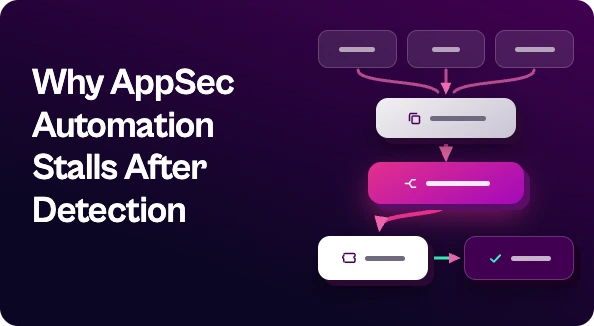
AppSec automation is the use of tooling to run application security tasks without manual effort, from SAST, SCA, and DAST scans in CI/CD to triage, ticketing, and fix verification. Most teams have automated detection already. The bigger gains now come from automating what happens after a finding appears: deduplicating it, assigning it to the right owner, and tracking it until it’s fixed.
Most AppSec teams will tell you they’ve already automated. SAST runs on every pull request. SCA flags vulnerable dependencies. DAST scans staging every night. That part is done.
So why does the backlog keep growing?
Because the scanning was automated, but the work that comes after it wasn’t. That’s where AppSec automation stops paying off for a lot of teams, and it’s also where the biggest gains are left.
What is AppSec Automation?
AppSec automation means using tools to handle application security work that would otherwise take manual effort. That covers the whole lifecycle, not just scanning:
- Detection: SAST, SCA, DAST, secrets scanning, and container and IaC scanning running in CI/CD
- Triage: deduplicating, enriching, and prioritizing findings
- Routing: getting each finding to the person or team that owns the code
- Remediation tracking: opening tickets, chasing SLAs, and confirming fixes
Most programs have automated the first item and are still doing the other three by hand.
Where AppSec Automation Usually Stalls
Here’s a pattern you’ve probably seen. One vulnerable library shows up in 40 repos. SCA flags it 40 times. Your container scanner flags it again in the images, and your SAST tool catches a related issue in the code that calls it. That adds up to dozens of findings for one fix.
Someone on the AppSec team then has to:
- Figure out these are all the same problem
- Work out who owns each affected service
- Open tickets in whatever tracker each team uses
- Follow up when nothing moves
- Check later whether it actually got fixed
None of that is hard. It’s just slow, repetitive, and it doesn’t scale. Adding one more scanner makes it worse, because every new tool is another feed of findings to reconcile.
What to Automate First
If you’re looking for the next step in AppSec automation, start with the steps that eat the most analyst hours:
Deduplication across tools. Group findings that share a root cause so developers get one ticket instead of forty.
Ownership mapping. Use repo metadata, CODEOWNERS files, and asset tags to send findings to the right team automatically.
Context-based prioritization. Severity alone isn’t enough. Weigh exploitability, whether the code is reachable, and whether it’s internet-facing.
Ticketing that fits dev workflows. Push findings into Jira, ServiceNow, or whatever each team already uses, with fix guidance attached.
Fix verification. Close the loop automatically when a rescan comes back clean, so no one has to check by hand.
What Shouldn’t Be Fully Automated
Some things still need a person. Risk acceptance decisions, exceptions, and judgment calls about business context need a human sign-off. Automation should get those decisions in front of the right people quickly, with the context attached. It shouldn’t make them.
How to Measure AppSec Automation
Scan coverage tells you whether you’re finding problems. These metrics tell you whether you’re fixing them:
- Mean time to remediate (MTTR), split by severity
- Percentage of findings closed within SLA
- Raw findings compared with unique, actionable issues (this shows how much deduplication is saving you)
- Analyst hours spent on triage and follow-up
If scan coverage keeps going up while MTTR stays flat, your automation stops at detection.
Where Seemplicity Fits
Seemplicity doesn’t replace your scanners. It works on top of them. It pulls in findings from your SAST, SCA, DAST, and other security tools, deduplicates and prioritizes them, routes them to the right owners in the tools those owners already use, and tracks each one until it’s fixed. It handles the remediation half of AppSec automation that most teams are still doing in spreadsheets.
If your scanning is automated and your fixing isn’t yet, see how Seemplicity handles application security remediation.

Stay updated on Seemplicity blog
Subscribe today to stay informed and get regular updates from Seemplicity.