/what are aspm tools and how do i choose one?
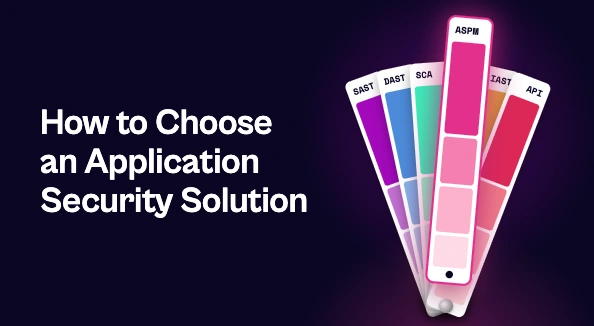
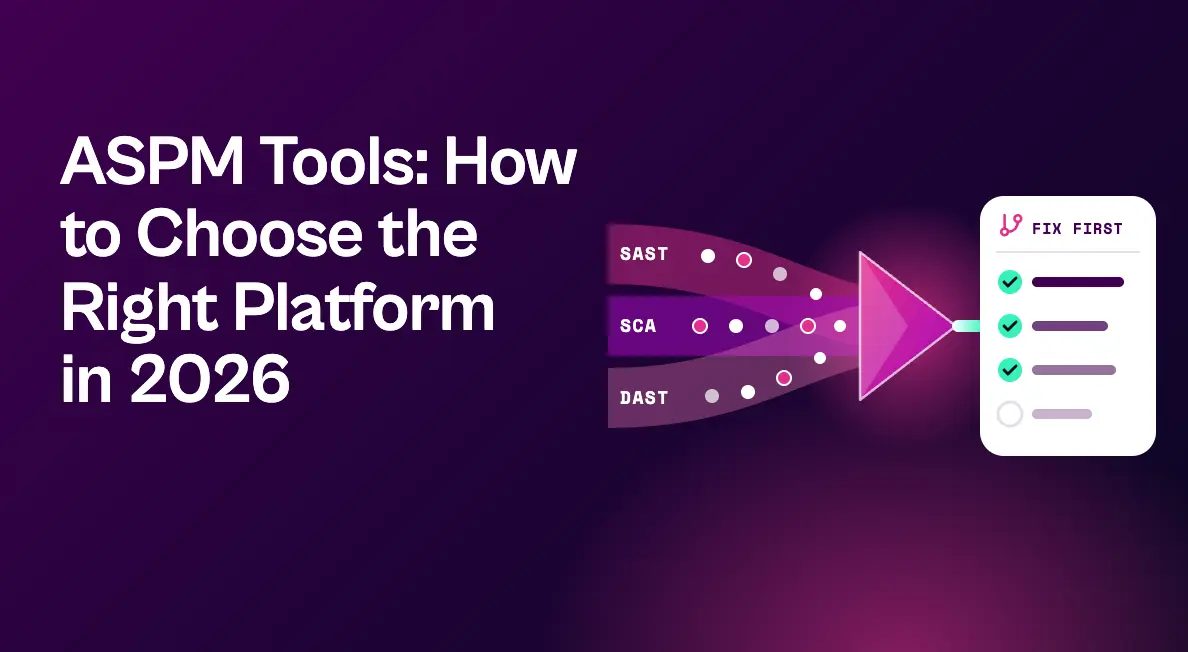
ASPM tools unify findings from your application security scanners, such as SAST, DAST, SCA, and API testing, into one prioritized view of application risk. They generally fall into three types: AppSec testing suites with ASPM built in, cloud security platforms extending into code, and vendor-agnostic platforms that work with any scanner. To choose, look past dashboards and test how well each tool validates exploitability, maps findings to code owners, consolidates duplicate work, and gets fixes shipped.
If you’re comparing ASPM tools, you’re probably dealing with a familiar problem: too many application security scanners, too many overlapping findings, and a backlog that grows faster than developers can close it.
Application security posture management (ASPM) promises to fix that by bringing every AppSec signal into one place and focusing teams on the risks that matter. But the category is crowded, vendor definitions vary, and “best ASPM tools” lists rarely explain how the options actually differ.
This guide breaks down what ASPM tools do, the three main types on the market, the criteria that separate them, and how to choose a platform that turns application risk into shipped fixes.
What Are ASPM Tools?
ASPM tools continuously collect, correlate, and prioritize security findings from across the software development lifecycle. Instead of forcing teams to work from each scanner’s separate console, they create a single view of application risk.
Most ASPM platforms share a common set of core functions:
- Ingestion of findings from SAST, DAST, SCA, IAST, API security, secrets, and infrastructure-as-code scanners
- Correlation and deduplication so the same issue reported by several tools becomes one item
- Prioritization based on business context, exploitability, and exposure rather than raw severity
- Ownership mapping that connects findings to the applications, repositories, and teams responsible for them
- Remediation workflows that deliver fixes to developers and track them to closure
- Reporting on posture, SLA performance, and risk trends for security leaders
Why ASPM Tools Matter Now
The case for ASPM has grown stronger every year. Organizations run more scanners than ever, and each new tool adds findings that overlap with the others. The same vulnerable library can show up in three scanners under three different identifiers, with three different severity ratings.
Meanwhile, AI-assisted development is producing code faster than traditional review processes were designed to handle, and AI is also shrinking the time it takes attackers to turn a vulnerability into a working exploit. Research from Contrast Security found that the average development team remediates six vulnerabilities per application per month while 17 new ones are discovered, a gap that guarantees a growing backlog without better prioritization and automation.
Gartner now rates ASPM’s benefit as transformational in its 2026 Hype Cycle for Software Engineering, a sign of how central the category has become to modern AppSec programs.
The 3 Main Types of ASPM Tools
Most ASPM tools fall into one of three groups. Each has real strengths, and the right fit depends on your existing stack.
1. AppSec testing suites with ASPM built in
Vendors that started with application security testing, such as Checkmarx and Cycode, now offer ASPM capabilities alongside their own scanners. The advantage is tight integration between testing and posture management. The trade-off is that these platforms tend to work best when you standardize on the vendor’s scanners, so confirm how well they handle findings from third-party tools you plan to keep.
2. Cloud security platforms extending into code
Cloud and CNAPP providers, including Wiz, Palo Alto Networks, and CrowdStrike with Falcon ASPM, have added application security posture capabilities that connect code risk to cloud and runtime context. This approach is strong for code-to-cloud visibility, especially if the platform already secures your cloud. Evaluate how deeply it covers the AppSec tools and developer workflows your teams rely on.
3. Vendor-agnostic ASPM and remediation platforms
A third group, including ArmorCode, the open source DefectDojo project, and Seemplicity, is built to ingest findings from whatever scanners you already run. These platforms focus on correlation, prioritization, and orchestrating remediation across teams. They’re a natural fit for organizations with a diverse, multi-vendor security stack that don’t want their posture management tied to a single testing vendor.
How to Evaluate ASPM Tools
Demos tend to showcase polished dashboards. To see real differences, bring these questions to every vendor and test them on your own data:
| Criterion | Question to ask |
|---|---|
| Scanner coverage | Can it ingest findings from every AppSec tool we run today, including ones from other vendors? |
| Correlation | Does it merge duplicates across tools and group findings that share a single fix, like one library upgrade? |
| Exploitability validation | Does it confirm whether vulnerable code and dependencies are actually reachable, or only apply a score? |
| Ownership | Can it map findings to code owners and teams automatically, and keep that mapping current as repos change? |
| Developer workflow | Do fixes arrive in Jira or other developer tools with clear guidance, and do status updates sync both ways? |
| Response options | When a code fix will take time, does it surface interim ways to reduce risk? |
| Scope beyond AppSec | Can application findings live in the same program as cloud and infrastructure exposures, or will ASPM become another silo? |
| Reporting | Can leaders see MTTR, SLA performance, and risk reduction by application and team without manual work? |
That last scope question deserves extra attention. Attackers don’t care whether an exposure sits in code, a container, a cloud configuration, or a server. Many organizations find that an ASPM tool which only understands application findings leaves them juggling a separate backlog for everything else.
Where Seemplicity Fits Among ASPM Tools
Seemplicity was named a Sample Vendor for Application Security Posture Management in the Gartner Hype Cycle for Software Engineering, 2026. As we’ve written before, ASPM is shifting from visibility to action, and that’s the shift Seemplicity is built for. It’s the only technology that fuses exposure management with autonomous response in one system, so application findings move from discovery to resolution without switching tools.
Here’s how Seemplicity handles application risk:
- Every AppSec signal in one backlog. Seemplicity integrates and correlates findings from SAST, DAST, SCA, IAST, and API security tools, including scanners such as Checkmarx, Snyk, and Veracode, and layers in business context like application criticality, data type, and internet exposure.
- Grouped by fix, not by finding. When one dependency upgrade closes dozens of findings, that becomes a single remediation item instead of dozens of tickets.
- Exploitability confirmed in code and dependencies. The Code Analyst reads your actual source code to determine whether vulnerable code is reachable, and the SCA Analyst validates dependency reachability, supporting SBOM-driven response to new zero-days.
- Queues built for AppSec teams. Findings route to the teams and code owners responsible for them. AppSec teams can set their own priority rules, and role-based access control keeps each team focused on its own work.
- Fixes that fit developer workflows. Bi-directional Jira and ServiceNow integrations keep status, comments, and SLAs in sync, and step-by-step guidance comes attached to each task.
- More than one way to close risk. Response Options lay out Fix, Mitigate, or Neutralize choices, with one recommended and a safety rating for each, so exposure comes down even while a code change works through the release cycle.
- One program, not another silo. Application findings live alongside cloud and infrastructure exposures, so security leaders manage risk in one place.
For a deeper look at building an ASPM program, see our practical guide to ASPM for DevSecOps leaders.
ASPM vs. Related Security Categories
ASPM overlaps with several neighboring categories, which can make vendor claims confusing.
ASPM vs. ASOC
Application security orchestration and correlation (ASOC) focused on running and correlating security testing tools. ASPM builds on that foundation with continuous posture management, business context, and remediation workflows.
ASPM vs. CSPM
Cloud security posture management (CSPM) monitors cloud infrastructure configurations. ASPM focuses on the applications themselves, from code and dependencies to deployed services.
ASPM vs. exposure management
Exposure management, including Gartner’s continuous threat exposure management (CTEM) framework, covers the entire attack surface. ASPM can be viewed as the application layer of a broader exposure management program.
See Seemplicity in Action
The best ASPM tool is the one that turns application findings into fixed code, not just a cleaner dashboard. Request a demo to see Seemplicity in action for yourself.

Frequently asked questions
An ASPM tool collects findings from application security scanners across the software development lifecycle, removes duplicates, prioritizes issues by real risk, routes them to the right owners, and tracks remediation, giving teams one view of application risk.
No. SAST and SCA are testing tools that find vulnerabilities in code and open source components. ASPM tools sit above testing tools, combining their results with context to decide what to fix first and drive remediation.
Possibly. Even single-vendor programs benefit from better prioritization, ownership mapping, and remediation workflows. And as organizations add cloud, container, and API testing tools, the value of a vendor-agnostic view grows quickly.
Yes. DefectDojo is a widely used open source option for aggregating and managing security findings. Open source tools can be a good starting point, though teams should weigh the effort of maintaining integrations, automation, and reporting themselves.
Stay updated on Seemplicity blog
Subscribe today to stay informed and get regular updates from Seemplicity.