




/What is the difference between CSPM and SSPM?
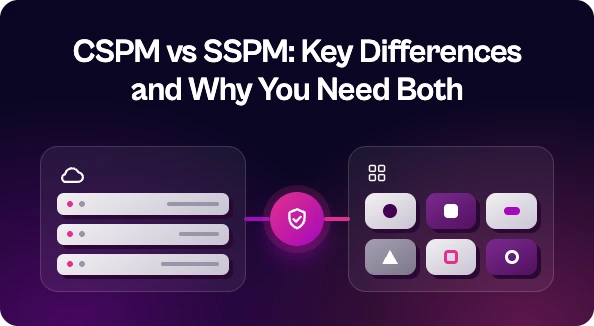
CSPM (Cloud Security Posture Management) finds misconfigurations and compliance gaps in IaaS and PaaS environments like AWS, Azure, and GCP. SSPM (SaaS Security Posture Management) does the same for SaaS apps like Microsoft 365, Salesforce, Slack, and Google Workspace, focusing on settings, permissions, and app-to-app connections. Most organizations need both, plus a way to prioritize and fix what they find.
CSPM and SSPM sound almost the same, and they share the same basic job: find risky settings before an attacker does. But they cover different parts of your stack. If you’ve been wondering whether one tool can do both jobs, or which one to buy first, this post covers it.
Short version: CSPM protects the cloud infrastructure you build on. SSPM protects the SaaS apps you log into. Most teams need both.
What is CSPM?
CSPM stands for Cloud Security Posture Management. It watches your IaaS and PaaS environments (AWS, Azure, Google Cloud) for misconfigurations and compliance drift.
Typical CSPM findings look like this:
- A storage bucket that’s open to the public
- Security groups that allow traffic from anywhere
- Unencrypted databases or disks
- IAM roles with far more permissions than they need
- Resources that break CIS, SOC 2, or PCI DSS benchmarks
CSPM tools usually connect through the cloud provider’s APIs, scan all the time, and flag anything that doesn’t match policy. The people who get these findings are usually cloud, platform, or DevOps teams.
What is SSPM?
SSPM stands for SaaS Security Posture Management. It does the same kind of posture checking, but for the SaaS apps your business runs on: Microsoft 365, Google Workspace, Salesforce, Slack, GitHub, Zoom, and so on.
Typical SSPM findings look like this:
- MFA not enforced for some users or admins
- Files shared publicly or with “anyone with the link”
- Too many admins, or ex-employees who still have access
- Third-party apps and OAuth integrations with broad permissions
- Weak session, password, or audit logging settings
The owners here are usually different too. The fix for a Salesforce sharing setting might sit with a business app admin, IT, or the team that owns that app, not with the cloud team.
CSPM SSPM Comparison at a Glance
CSPM
- Covers: cloud infrastructure (IaaS and PaaS)
- Examples: AWS, Azure, GCP
- Common findings: public buckets, open ports, over-permissioned IAM, missing encryption
- Who fixes it: cloud, DevOps, and platform teams
- Main risk: infrastructure exposure
SSPM
- Covers: SaaS applications
- Examples: Microsoft 365, Salesforce, Slack, Google Workspace
- Common findings: missing MFA, public file shares, risky OAuth apps, too many admins
- Who fixes it: IT, SaaS admins, and app owners
- Main risk: data and identity exposure through apps
Why One Doesn’t Replace the Other
Both come from the shared responsibility model. Your cloud provider secures the physical infrastructure, and you secure how you configure it. Your SaaS vendor secures the app, and you secure how you set it up and who can get in.
A CSPM tool won’t tell you that half your Salesforce users can export every customer record. An SSPM tool won’t tell you that an S3 bucket is public. They look at different surfaces, so a clean report from one says nothing about the other.
Some platforms now bundle CSPM into broader CNAPP suites, and some SSPM tools are expanding into identity and data security. That’s useful, but the underlying coverage question stays the same. Check what each tool actually scans, not just what the category label says.
Do You Need Both CSPM and SSPM?
If you run workloads in the cloud and your business runs on SaaS (which is almost everyone), yes. Here’s a practical way to think about priority:
- Heavy cloud footprint, lots of custom apps? Start with CSPM.
- Mostly SaaS, light infrastructure? Start with SSPM.
- Both? Plan for both, and plan for what happens after the findings show up.
The Real Problem: Who Owns the Fix?
Buying CSPM and SSPM is the easy part. The hard part comes next.
Now you have two more tools creating findings, on top of your vulnerability scanners, AppSec tools, and everything else. Each has its own dashboard, severity scale, and idea of what counts as critical. And the findings go to totally different teams. Cloud misconfigs go to DevOps. SaaS misconfigs go to IT or app admins who may never have filed a security ticket before.
So findings pile up. Duplicates get missed. Nobody is sure who owns what. And the posture scores look good in a report while the actual risk sits there untouched.
That’s why the gap for most security teams isn’t finding more issues. It’s getting the issues they already have fixed.
Where Seemplicity Fits
Seemplicity doesn’t replace your CSPM or SSPM. It’s an Agentic Exposure Action Platform that sits on top of the tools you already use. It pulls in findings from your CSPM, SSPM, scanners, and other security tools, dedupes and prioritizes them, figures out who owns each fix, and routes the work to those teams in the ticketing and chat tools they already use. Then it tracks remediation through to done.
The result: CSPM and SSPM findings stop being two more piles on the backlog and turn into one clear, prioritized list of fixes.
If your posture tools are doing their job but the fixes aren’t happening, see how Seemplicity closes that gap.

Stay updated on Seemplicity blog
Subscribe today to stay informed and get regular updates from Seemplicity.