/What is a cybersecurity asset inventory?
A cybersecurity asset inventory is a continuously updated record of every device, cloud resource, application, identity, and service in your environment, along with who owns it and how critical it is. It’s the foundation of frameworks like CIS Control 1 and NIST CSF 2.0’s Identify function. The goal isn’t a perfect list. It’s an inventory accurate enough to connect every security finding to an asset and an owner who can fix it.
Here’s an uncomfortable truth. Most security teams can’t say with confidence how many assets they have. They have a number. It’s in a spreadsheet, a CMDB, or a dashboard somewhere. But ask three tools the same question and you’ll get three different answers.
That’s a problem, because a cybersecurity asset inventory is where everything else starts. You can’t protect what you don’t know about. You can’t prioritize a vulnerability if you don’t know what it’s sitting on. And you definitely can’t get it fixed if nobody knows who owns the box.
This guide covers what a modern inventory needs to include, where most of them fall apart, and how to make yours useful instead of just accurate on paper.
What is a Cybersecurity Asset Inventory?
A cybersecurity asset inventory is a continuously updated record of everything in your environment that could be attacked or used to attack you. That means devices, cloud resources, applications, identities and services. Each entry should also say who owns it and how much it matters to the business.
It’s not the same as an IT asset list built for procurement or license tracking. The security version cares about different things. Is this asset exposed to the internet? What vulnerabilities does it have? Is EDR running on it? Who do we call when something’s wrong?
The frameworks agree it’s foundational. CIS Control 1 is literally Inventory and Control of Enterprise Assets. In NIST CSF 2.0, asset management sits inside the Identify function, which comes before you get anywhere near Protect or Detect. Auditors will ask about it, and so will attackers in their own way.
What Belongs in Your Cybersecurity Asset Inventory
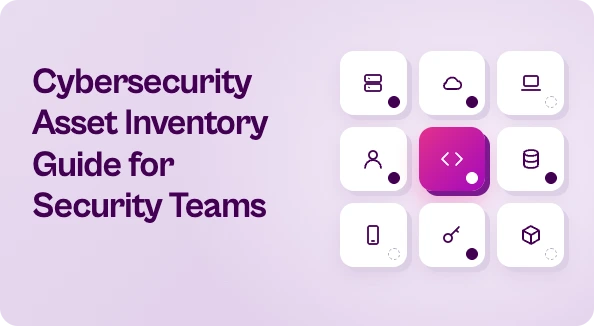
The old idea of “assets” meant servers and laptops. That’s way too narrow now. A complete inventory should cover five broad categories.
Devices and endpoints. Laptops, servers, mobile devices, network gear, and the OT and IoT stuff that tends to get forgotten until it shows up in an incident report.
Cloud resources. VMs, containers, serverless functions, storage buckets, managed databases. These spin up and disappear constantly, which is exactly why they’re hard to track.
Applications and code. Internal apps, SaaS tools, APIs, and the repos and dependencies behind them.
Identities. Human users, service accounts, API keys and machine identities. Plenty of breaches start with an identity nobody remembered existed.
External-facing assets. Domains, subdomains, IPs, certificates and anything else visible from the internet, including the forgotten marketing microsite from 2021.
For each asset you want a few core attributes at minimum. Owner, business criticality, environment (prod or dev), exposure level and current security findings. Without those, you’ve got a list but not much intelligence.
Where Asset Inventories Break Down
Almost every team runs into the same handful of problems. If any of these sound familiar, you’re in good company.
It’s a snapshot, not a stream. Someone exported a list last quarter and it’s been drifting ever since. In cloud environments a week-old inventory is already wrong.
Every tool has its own version of the truth. Your EDR sees endpoints. Your cloud console sees cloud. Your vulnerability scanner sees what it scanned. None of them agree, and the same asset might show up under three different names.
Duplicates and ghosts. The same server appears twice with different hostnames. A decommissioned instance still shows up because no one cleaned it out. Your counts get inflated and your reports lose credibility.
Shadow IT and unmanaged assets. The SaaS app a team signed up for with a credit card. The test environment a developer stood up and forgot about. These are the assets most likely to be missing security controls.
No owner attached. This is the big one, and it gets its own section.
Why Ownership Is the Field That Matters Most
You can have the most complete cybersecurity asset inventory in the world and still fail at security if it doesn’t tell you who owns what.
Think about what happens when a critical vulnerability lands on an asset with no owner. The security team finds it. They open a ticket. The ticket goes to a general queue, or to whoever owned the asset two reorgs ago. It sits there. Weeks pass. Eventually someone notices it in an audit.
Unowned assets don’t get patched. It’s that simple.
So when you’re building or cleaning up your inventory, put ownership near the top of the list. Pull it from wherever it actually lives, whether that’s cloud tags, CMDB records, code repo contributors or org charts. It won’t be perfect at first. That’s fine. A best-guess owner who can redirect a ticket beats a blank field every time.
How to Build an Inventory That Stays Current
You don’t need to boil the ocean. A practical approach looks something like this.
Start by connecting the sources you already have. EDR, cloud provider APIs, identity providers, vulnerability scanners, your CMDB. Most of the data exists. It’s just scattered. This is the core idea behind CAASM, or cyber asset attack surface management, which pulls from existing tools over API instead of deploying yet another agent.
Correlate and deduplicate. Match records across sources using things like hostnames, IPs, MAC addresses and cloud instance IDs. One asset should be one record, enriched by everything each tool knows about it.
Add external discovery. Internal tools can’t see what they don’t know about. External attack surface scanning helps catch the internet-facing stuff that slipped through.
Tag criticality and exposure. Not every asset deserves the same attention. A customer-facing payment API matters more than a dev sandbox. Bake that context in early.
Automate the refresh. If updating the inventory depends on someone remembering to do it, it won’t happen. Sync continuously or on a tight schedule.
Review gaps on purpose. Look for assets with no owner, no EDR coverage or no recent scan. Those gaps are often more useful than the inventory itself.
Making Your Cybersecurity Asset Inventory Actually Useful
Here’s where a lot of programs stall. They get the inventory to a good place, build a nice dashboard and then stop. But visibility on its own doesn’t reduce risk. Fixing things does.
The real value of a cybersecurity asset inventory shows up when you connect it to your findings. Every vulnerability, misconfiguration and exposure should map to an asset, and every asset should map to an owner. That’s what turns a pile of scanner output into work someone can actually do.
This is the gap Seemplicity is built to close. Seemplicity is an Agentic Exposure Action Platform. It doesn’t replace your discovery tools or your asset inventory. It takes the findings from all your scanners, uses asset and ownership context to dedupe and prioritize them, and routes each fix to the right team in the tools they already use. The inventory tells you what you have. Seemplicity helps make sure the problems on it actually get fixed.
Start Small and Keep It Moving
Your asset inventory will never be done, and that’s okay. The goal isn’t a perfect list. It’s one that’s accurate enough, current enough and connected enough to tell you what’s at risk and who needs to act.
Get the sources connected. Attach owners. Then make sure that context feeds straight into how you remediate.
If you want to see what that looks like in practice, take a look at how Seemplicity turns asset context into fixes that get done.

Stay updated on Seemplicity blog
Subscribe today to stay informed and get regular updates from Seemplicity.