




Application Security Posture Management (ASPM) Tools: 6 Mistakes That Stall Remediation

/Why aren’t my application security posture management (ASPM) tools reducing risk?
ASPM tools usually underdeliver because of how they’re rolled out and run, not the tool itself. Common mistakes include connecting scanners before ownership is defined, prioritizing by severity alone, creating one ticket per finding, and forcing developers into another console. Others are ignoring interim mitigations and managing ASPM as a silo. Fix these and the tool starts closing risk instead of just tracking it.
Most teams buy application security posture management (ASPM) tools for the same reason. They have too many scanners, too many overlapping findings, and a backlog developers can’t get through. The tool goes live, the dashboards fill up, and a few months later the backlog looks about the same.
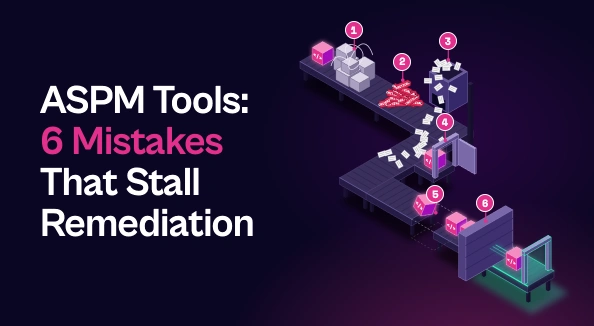
When that happens, the tool is rarely the problem. The issue is usually how it was rolled out and how it’s being run day to day. Below are six common mistakes that keep ASPM tools from reducing risk, and how to fix each one.
What ASPM Tools Should Actually Deliver
ASPM tools sit above your AppSec scanners rather than replacing them. They pull in findings from SAST, SCA, DAST, IaC, secrets, and API testing tools, remove duplicates, add business and runtime context, and send prioritized work to the teams that own it.
The measure of success isn’t a cleaner view of risk. It’s shorter time to fix, fewer tickets per real issue, and developers who trust what security sends them. Each mistake below undermines at least one of those outcomes.
Mistake 1: Connecting Every Scanner Before Ownership Is Defined
It’s tempting to plug in every tool on day one. But if the platform doesn’t know which team owns which application, repository, and service, it can’t route anything correctly. Findings pile up in a shared queue, or land with whoever owned the repo two reorgs ago.
The fix: build the ownership map first. Tie applications to repos, repos to teams, and teams to the people who will actually ship fixes. Keep that map current by syncing it from sources like code owner files rather than maintaining it by hand. Once routing has somewhere to go, connect your scanners.
Mistake 2: Prioritizing by Severity Alone
Many teams import their findings and sort by CVSS score. That recreates the old problem in a new interface: hundreds of “critical” issues, most of which pose little real risk to the business.
The fix: base vulnerability prioritization on the context severity scores miss. Is the vulnerable code or dependency actually reachable? Is the application internet-facing, and what data does it handle? Is the vulnerability being exploited in the wild? ASPM tools are built to add this context, so make sure your prioritization rules use it, and confirm exploitability before a finding reaches a developer’s queue.
Mistake 3: Creating One Ticket per Finding
One vulnerable open source library can show up across dozens of repos and three different scanners. If each instance becomes its own ticket, developers get flooded with what is really a single piece of work. Before long, they start ignoring security tickets altogether.
The fix: group findings by the fix that resolves them, not by the scanner that reported them. One dependency upgrade should be one remediation task, with every affected finding attached. Fewer, clearer tickets do more for developer trust than any amount of rule tuning.
Mistake 4: Asking Developers to Work in Another Console
If developers have to log into the ASPM tool to see what they need to fix, most won’t. Security work that lives outside their normal workflow gets deprioritized by default.
The fix: push work into the tools developers already use, like Jira, GitHub, or Slack. Each task should explain what’s affected, why it matters, and how to fix it. Sync status in both directions so security can track progress without chasing updates. Done well, this is where ASPM supports DevSecOps instead of adding another layer on top of it.
Mistake 5: Treating a Code Fix as the Only Option
Some fixes take time. A breaking dependency upgrade or a refactor may have to wait for the next release cycle, and the exposure stays open in the meantime.
The fix: track interim mitigations alongside the permanent fix. A WAF rule, a configuration change, or restricted access to a vulnerable endpoint can lower risk now while the code change moves through the pipeline. Build these response options into your ASPM process so that “fix pending” never means “unprotected.”
Mistake 6: Running ASPM as Its Own Silo
Application findings rarely exist in isolation. A vulnerable dependency matters more when the container it ships in runs on an exposed cloud workload. Yet many organizations manage ASPM separately from cloud and infrastructure risk, with separate backlogs, priorities, and reports.
The fix: treat ASPM as the application layer of a broader exposure management program. When application, cloud, and infrastructure findings share one prioritization model, teams can see risks that cross domains and focus effort where it reduces the most exposure.
Where Seemplicity Fits
Seemplicity is vendor-agnostic: it works with the AppSec scanners you already run, such as Checkmarx, Snyk, and Veracode, and is built to avoid the mistakes above.
- Ownership-based routing: findings are mapped to the teams and code owners responsible for them, so work lands in the right queue.
- Context-driven priority: the Code Analyst and SCA Analyst check whether vulnerable code and dependencies are actually reachable, alongside business context like application criticality and internet exposure.
- Grouped by fix: when one upgrade closes dozens of findings, it becomes a single remediation task.
- Developer-native workflows: bi-directional Jira and ServiceNow integrations keep status, comments, and SLAs in sync.
- More than one way to reduce risk: Response Options lay out Fix, Mitigate, or Neutralize choices for every exposure.
- One program, not another silo: application findings sit alongside cloud and infrastructure exposures.
Make Your ASPM Tool Close Risk, Not Just Track It
The value of application security posture management (ASPM) tools shows up in how they’re run day to day. Define ownership before you automate, prioritize with real context, group work by fix, meet developers where they already work, plan for interim mitigation, and connect application risk to the rest of your environment.
Get those right, and your ASPM tool stops cataloging risk and starts reducing it. Book a demo to see how Seemplicity turns AppSec findings into shipped fixes.
Stay updated on Seemplicity blog
Subscribe today to stay informed and get regular updates from Seemplicity.