How to Implement Application Security Posture Management Tools: A Practical Rollout Plan

/how to implement application security posture management tools
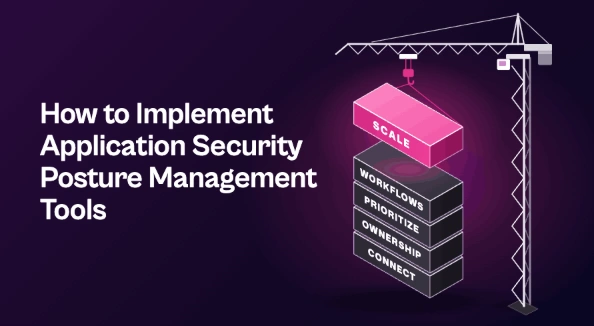
Roll out application security posture management tools in phases. First, connect scanners for a small set of high-value apps and confirm duplicates merge correctly. Then map every finding to an owner, set prioritization rules based on reachability, exposure, and business criticality, and route grouped fixes into developer tools like Jira with two-way sync. Track MTTR and SLA adherence, then expand to more apps once the results hold.
Most teams spend months evaluating application security posture management tools, only to find after purchase that the hard part hasn’t started. Scanners get connected, findings flood in, and the platform becomes one more dashboard nobody acts on.
Whether an ASPM deployment reduces risk or stalls usually comes down to rollout order. This guide walks through a phased plan, from connecting your first scanners to shipping fixes at scale.
What to Have in Place Before You Start
An ASPM platform can only organize what you give it. Three inputs make every later phase faster:
- A scanner map. List every AppSec tool you run (SAST, SCA, DAST, secrets, IaC, container scanning) and which applications each one covers. Gaps and overlaps show up quickly.
- An application inventory. It doesn’t need to be perfect, but you do need a rough asset inventory of applications, repositories, and services, each tagged with business criticality.
- A shared definition of done. Agree with engineering on what closes a finding: fixed, mitigated, or formally accepted. Without this, “resolved” means something different to every team.
Phase 1: Connect and Deduplicate
Start with a small set of high-value applications, typically five to ten customer-facing or revenue-critical apps. A narrow scope lets you validate the setup before problems multiply.
Connect the scanners that cover those apps and let the platform handle data normalization into a single schema. Then check the output by hand. The same vulnerable library flagged by your SCA tool, container scanner, and SAST tool should appear as one item, not three. If it doesn’t, fix the correlation rules now.
Expect the first unified view to look worse than any single scanner did. You’re seeing the full backlog for the first time. That’s your baseline, not a failure.
Phase 2: Map Ownership
Every finding needs an owner before it can move. Pull ownership from sources you already maintain, such as CODEOWNERS files, repository metadata, CMDB records, or cloud resource tags.
Close the gaps before you switch on automated routing. Tickets sent to the wrong team don’t just stall. They teach developers to ignore security tickets altogether.
Then decide how ownership stays current. Repos get renamed, teams reorganize, and services change hands. Syncing from a live source beats a mapping someone built once in a spreadsheet.
Phase 3: Set Prioritization Rules
Severity scores alone won’t shrink a backlog. Effective vulnerability prioritization layers in context such as:
- Reachability: Is the vulnerable function or dependency actually called?
- Internet exposure: Can an attacker reach the affected service?
- Asset criticality: Does the app handle sensitive data or core revenue?
- Exploitability: Is there a public exploit or evidence of active exploitation?
Turn these into a short set of policies rather than dozens of edge cases. For example, a finding that is critical, reachable, and internet-facing goes to the top tier with the tightest SLA.
Group findings by fix, too. One dependency upgrade often closes dozens of findings, and it should reach a developer as one task.
Phase 4: Plug Into Developer Workflows
Developers shouldn’t need to log in to another console. Route prioritized findings straight into the tools they already use, such as Jira, ServiceNow, or GitHub Issues, with fix guidance attached to each ticket.
Make the sync two-way. When a developer closes a ticket, the finding should update in the ASPM platform, and when a rescan confirms the fix, the ticket should reflect that too. One-way sync leads to drift and manual reconciliation.
Agree on SLAs for each priority tier with engineering leads before tickets start flowing. SLAs set by security alone tend to get ignored. SLAs negotiated with the teams doing the work tend to stick.
Phase 5: Measure and Expand
Track a small set of numbers from day one so you can show progress:
- Mean time to remediate (MTTR), by priority tier
- SLA adherence, by team
- Open backlog trend over time
- Share of findings routed automatically versus by hand
Once the first applications show steady results, add more apps and scanners in waves. Revisit your prioritization rules as you go, since new noise patterns appear as coverage grows. Expanding this way makes ASPM part of a durable application security program rather than a one-off project.
Common Rollout Mistakes
- Connecting everything on day one. A large initial scope buries the team in correlation issues before any value shows.
- Treating aggregation as the finish line. A single dashboard of findings isn’t risk reduction. Fixes are.
- Skipping engineering buy-in. SLAs and routing rules imposed without developer input get worked around.
- Running ASPM as a silo. Attackers don’t care whether a weakness sits in code, cloud, or infrastructure. Keeping application findings apart from the rest of your exposure management work leaves blind spots between teams.
Measure Success in Fixes, Not Findings
Application security posture management tools only pay off when the rollout gets each finding to the right owner, in the right order, inside the workflows developers already use. Start narrow, get ownership and prioritization right, and expand once the numbers move.
See how Seemplicity helps teams turn AppSec findings into shipped fixes. Book a demo.
Stay updated on Seemplicity blog
Subscribe today to stay informed and get regular updates from Seemplicity.