/how does cloud security posture management work on AWS?
Cloud security posture management on AWS centers on AWS Security Hub, which bundles Security Hub CSPM’s posture checks with GuardDuty, Inspector and Macie, supported by AWS Config and IAM Access Analyzer. To get it right, enable it across every account through a delegated administrator, choose standards that match your obligations, tag resources for context and use automation rules for suppression and ticketing. Detection is the easier part. The harder work is getting findings fixed across teams and tools, which is where remediation operations, and platforms like Seemplicity, come in.
AWS gives security teams plenty to work with. Between Security Hub, AWS Config and the services around them, you can have continuous posture checks running across your accounts in a day.
So switching on cloud security posture management on AWS usually isn’t the problem. Getting the findings fixed is.
This post covers what AWS-native CSPM includes, how to set it up so its output is usable, and where teams still get stuck once the findings start arriving.
What CSPM Looks Like on AWS
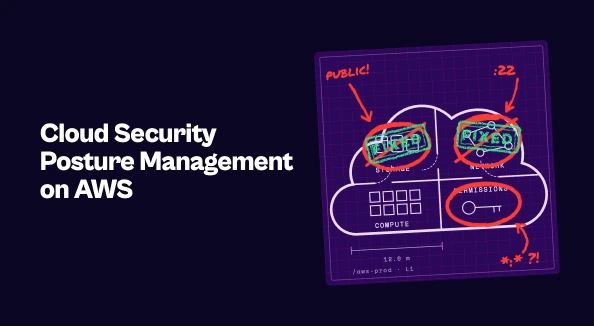
Cloud security posture management (CSPM) is the continuous assessment of cloud resources against security best practices and compliance standards. On AWS, that means catching issues like publicly accessible S3 buckets, overly permissive security groups, unencrypted storage and IAM policies that grant more access than they should.
AWS covers this natively through a few services that work together:
- AWS Security Hub is the central layer. It bundles Security Hub CSPM (the posture checks themselves) with Amazon GuardDuty for threat detection, Amazon Inspector for vulnerability scanning and Amazon Macie for sensitive data discovery.
- AWS Config records resource configurations over time and evaluates them against rules, which powers many of the posture checks.
- IAM Access Analyzer flags resources shared outside your account or organization, along with unused access.
Security Hub has also expanded beyond AWS. In 2026, AWS added Microsoft Azure monitoring, with Azure findings using the same format and workflows as AWS findings. Security Hub Extended brings in findings from partner tools across categories like endpoint, identity and email.
Getting CSPM Right on AWS
The tooling is straightforward to enable. Making its output useful takes a few deliberate choices.
Cover every account and region. Enable Security Hub through a delegated administrator account in AWS Organizations so new accounts are covered automatically. Gaps tend to appear in accounts created outside the standard process.
Choose standards deliberately. Security Hub CSPM supports standards including AWS Foundational Security Best Practices, the CIS AWS Foundations Benchmark, PCI DSS and NIST SP 800-53. Enable the ones that map to your actual obligations. Every standard adds controls, and every control adds findings.
Tag resources for context. Owner, environment and application tags turn a raw finding into something actionable. They also let you treat a misconfiguration in production differently from the same issue in a sandbox.
Automate the routine work. Security Hub automation rules can suppress expected findings, adjust severity based on criteria like resource tags, and create tickets in Jira Cloud or ServiceNow when findings match specific attributes. For common misconfigurations, AWS Config remediation actions can run Systems Manager Automation documents to fix the issue directly.
The Hard Part Isn’t Detection
Once CSPM is running well, the bottleneck moves. The question stops being “what’s misconfigured?” and becomes “who’s fixing it, and is it actually getting fixed?”
A few things make that harder than it looks:
- Cloud findings are one queue among many. The engineers who own an EC2 instance or a Lambda function are also fielding application security findings, pentest results and bug bounty reports, often from tools that don’t feed into Security Hub. Without one view across all of it, prioritization happens tool by tool instead of across the work each team actually has.
- Tags don’t always equal ownership. Tag coverage is rarely complete, and a team tag doesn’t always tell you which person should fix a specific issue.
- Ticket creation isn’t remediation management. Auto-creating a ticket gets a finding in front of someone. Tracking SLAs, chasing overdue items, grouping related findings into a single fix and reporting progress across teams is a separate job, and it often falls back on spreadsheets.
That separate job is what remediation operations covers: the process of getting findings from every tool to the right owner, in the right order, and tracked to closure.
How Seemplicity Fits In
Seemplicity doesn’t replace AWS-native CSPM. It picks up where detection ends.
Seemplicity integrates with AWS Security Hub and Amazon Inspector, bringing cloud posture and vulnerability findings together with findings from the rest of your security stack, including application security tools, vulnerability scanners and pentests. It deduplicates overlapping findings, prioritizes them using exploitability and business context, and identifies the right owner for each fix. Remediation then flows into the ticketing and collaboration tools your engineers already use, with SLAs and progress tracked through to closure.
The result is a clear division of labor. AWS keeps watching your cloud posture, and Seemplicity’s exposure management platform makes sure what it finds, along with everything else, actually gets fixed.
Turning AWS Posture Into Reduced Risk
Native tooling has made cloud security posture management on AWS accessible to almost any team, and with Azure support and partner integrations it covers more ground than it used to. Cover every account, enable the standards you need, tag for context and automate the routine work.
Then plan for what comes after. Posture findings only reduce risk once they’re fixed, and fixing them at scale is an organizational challenge as much as a technical one. Teams that treat vulnerability remediation as its own discipline, with clear ownership, shared priorities and tracked outcomes, are the ones whose posture actually improves.
See how Seemplicity turns findings from AWS and the rest of your stack into fixes. Book a demo.

Stay updated on Seemplicity blog
Subscribe today to stay informed and get regular updates from Seemplicity.