/what is microsoft security exposure management?
Microsoft Security Exposure Management (MSEM) is Microsoft’s exposure management solution in the Microsoft Defender portal. It provides a unified view of security posture across endpoints, cloud resources and external attack surfaces. Its key capabilities include the enterprise exposure graph, attack surface map, critical asset management, attack path analysis, security initiatives and third-party data connectors. To get the most from it, define critical assets early, connect relevant data sources, set initiatives, focus on choke points and agree on remediation ownership across teams.
Microsoft Security Exposure Management (MSEM) brings exposure data from across the Microsoft security stack into one place, inside the Microsoft Defender portal. For organizations already running Defender, it’s a natural foundation for exposure management.
As with any exposure management tool, the value you get depends on how you set it up and the program you build around it. This post covers what Microsoft Security Exposure Management is, its key capabilities and how to get the most out of it.
What Microsoft Security Exposure Management Is
Microsoft Security Exposure Management is Microsoft’s solution for a unified view of security posture across assets and workloads, spanning endpoints, cloud resources and external attack surfaces. It enriches asset information with security context, so teams can manage their attack surface, protect critical assets and reduce exposure risk.
MSEM sits in the Microsoft Defender portal and draws on signals from across Microsoft’s security products. These include Microsoft Defender Vulnerability Management, Microsoft Defender External Attack Surface Management and Microsoft Defender for Cloud, which brings in cloud security posture management (CSPM) data and cloud assets across Azure, AWS and GCP. Microsoft describes MSEM as aligned with Gartner’s continuous threat exposure management (CTEM) approach.
It’s built for several audiences: security and compliance admins, security operations teams, security architects, and CISOs who need a clear picture of organizational exposure. MSEM is available in Microsoft’s public cloud only, not in national or sovereign clouds.
Key Capabilities
Enterprise exposure graph and attack surface map. The exposure graph pulls together data from multiple sources, including cloud misconfigurations, multi-cloud assets and external attack surface data. Teams can query it to explore assets and assess risk, and visualize the results on the attack surface map. Together, they’re the foundation of attack surface management in MSEM.
Critical asset management. MSEM marks assets as critical using predefined classifications and ones you customize, across devices, identities and cloud resources. This lets teams focus security effort on the assets that matter most to the business.
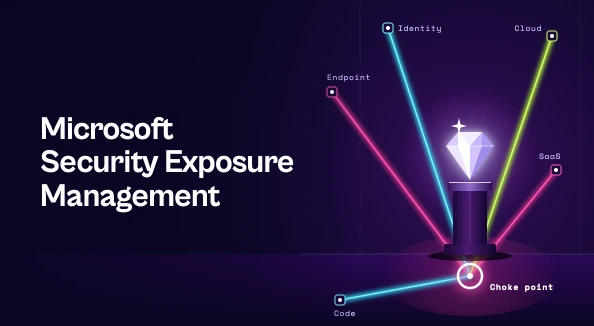
Attack paths. MSEM simulates attack scenarios to show how an attacker could move through your environment, including paths that span on-premises and cloud. It also highlights choke points, where many attack paths converge, along with recommendations to mitigate them.
Exposure insights and initiatives. Exposure insights cover security events, recommendations, metrics and security initiatives. Initiatives track exposure in specific security areas, each with a score that reflects its current state. A unified recommendations catalog consolidates recommendations from Exposure Management, Microsoft Secure Score and Microsoft Defender for Cloud.
Overview dashboard. The dashboard is organized around two actions. Resolve Now surfaces prioritized items across Patch, Mitigate and Fix categories, focused on internet-exposed and business-critical assets. Monitor Exposure tracks internet-exposed resources and initiative scores across code, endpoint, cloud, identity and SaaS.
Data connectors. Beyond Microsoft products, MSEM connects to third-party tools, including ServiceNow CMDB, Tenable, Qualys and Rapid7. Connector data is normalized into the exposure graph and device inventory, and factors into attack path generation.
How to Get the Most Out of Microsoft Security Exposure Management
Define critical assets early. Review the predefined classifications and add your own. Attack paths and the Resolve Now view both center on business-critical assets, so this step shapes prioritization across the platform.
Connect the data that matters. Microsoft product data flows in once connected. If your environment also runs Tenable, Qualys, Rapid7 or ServiceNow CMDB, connecting them gives the exposure graph and attack paths a fuller picture of your assets.
Set goals with initiatives. Choose the initiatives that match your current priorities, then use their scores and metrics to track progress and report it to leadership.
Start with choke points. Because many attack paths run through them, choke points are an efficient place to focus early remediation effort.
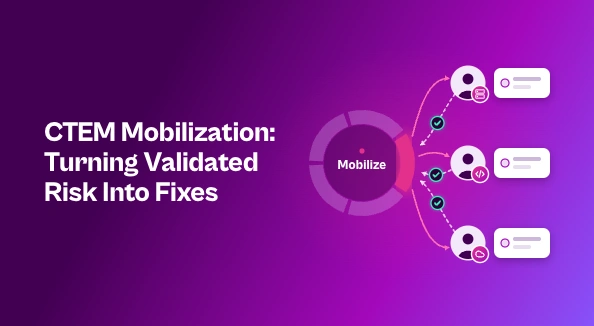
Agree on ownership and process. Tooling shows what needs fixing. Teams still need to agree on who fixes what, on what timeline, and how progress is tracked across IT, cloud and development teams. That’s a program decision, and it’s worth settling before findings start piling up.
Turning Exposure Insights Into Reduced Risk
Microsoft Security Exposure Management gives Defender customers a unified view of their exposure, with the exposure graph, attack paths and initiatives to decide what matters most. The return comes from using it deliberately: classify critical assets, connect the right data, set initiatives and agree on ownership.
With those foundations in place, exposure insights become vulnerability remediation that measurably reduces risk.
See how Seemplicity helps security teams turn exposure findings into fixes. Book a demo.

Stay updated on Seemplicity blog
Subscribe today to stay informed and get regular updates from Seemplicity.