/how do you assess your cloud security posture?
To assess your cloud security posture, first scope every cloud account and provider. Then pull findings from your existing CSPM, vulnerability scanning and identity tools, and evaluate six areas against a single framework: identity and access, network exposure, data protection, configuration and compliance, logging, and workloads. Prioritize issues by real risk, assign each one an owner and turn the results into a remediation plan. Reassess on a regular cadence to track whether posture is improving.
Most teams running in the cloud already have tools reporting on it. A CSPM or CNAPP flags misconfigurations, scanners flag vulnerabilities, and identity tools flag risky permissions. What’s often missing is a clear answer to a simpler question: how secure is our cloud environment right now, and is it getting better?
A cloud security posture assessment answers that question. Here’s what cloud security posture means, what to assess, and how to run an assessment that leads to action.
What Is Cloud Security Posture?
Cloud security posture is the overall security state of your cloud environment at a given moment. It covers how resources are configured, who can access them, what’s exposed to the internet, and how well data is protected.
It’s worth separating posture from the tools that measure it. Cloud security posture management (CSPM) is a category of tools that continuously checks cloud configurations. Your posture is the state those tools are measuring, and it’s shaped by more than configuration alone.
Under the shared responsibility model, cloud providers secure the underlying infrastructure. Everything you build and configure on top of it is yours. That customer side is what a posture assessment evaluates.
Why Assess It if You Already Have a CSPM?
A CSPM gives you a continuous stream of findings. An assessment gives you a picture: where you’re strong, where you’re weak, and what to fix first.
Assessments are especially useful when:
- You’ve added new cloud accounts, providers, or business units, including through an acquisition
- Leadership, the board, or auditors want a clear view of cloud risk
- Your architecture has changed significantly
- You want to know whether last quarter’s remediation effort actually improved anything
An assessment also catches what tools can miss. That includes accounts no one connected to the CSPM, resources created outside your pipelines, and process gaps such as findings that have no owner.
Key Areas to Assess
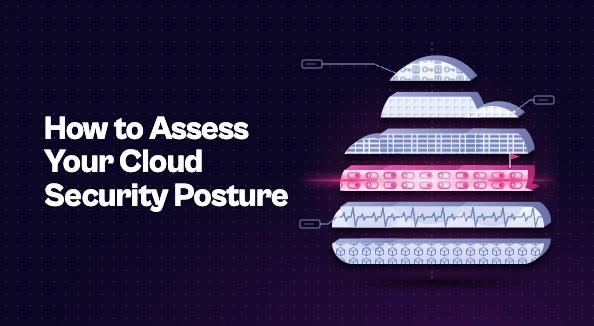
A complete cloud security posture assessment looks across six areas.
Identity and access. Review privileged roles, unused permissions, wildcard policies, long-lived access keys, and MFA coverage on admin accounts. In the cloud, identity is often the shortest path to sensitive data.
Network exposure. Identify internet-facing resources, security groups open to the world on sensitive ports, and gaps in segmentation. This is where your cloud attack surface is most visible.
Data protection. Check encryption at rest and in transit, look for publicly accessible storage, and confirm you know where sensitive data actually lives.
Configuration and compliance. Measure alignment with your chosen framework, such as the CIS Benchmarks, PCI DSS, or SOC 2.
Logging and detection. Confirm that logging is enabled and centralized across every account and provider. Gaps here won’t cause an incident, but they’ll slow down every investigation.
Workloads. Configuration checks don’t cover everything. A well-configured virtual machine or container can still run a vulnerable package. Include results from vulnerability scans of images, hosts, and serverless functions so the assessment reflects the full picture.
How to Run a Cloud Security Posture Assessment
1. Define the Scope
Start with a complete asset inventory of every account, subscription, and project across providers, including non-production environments and accounts created outside central IT. An assessment that misses accounts will overstate how secure you are.
2. Gather Data From Existing Tools
You don’t need to start from scratch. Pull findings from your CSPM or CNAPP, vulnerability scanners, identity reports, and cloud provider security services. The work is in combining them, not in collecting new data.
3. Assess Against One Framework
Choose a single framework and apply it across all clouds. That keeps results comparable, so a gap in AWS and a gap in Azure are measured the same way.
4. Prioritize by Real Risk
Raw finding counts say little on their own. Rank issues by whether the resource is reachable from the internet, whether it holds sensitive data, and whether several weaknesses combine on the same asset. A handful of exposed, high-impact issues matters more than thousands of low-risk ones.
5. Assign Owners
Map every significant finding to the team that owns the resource, ideally the team that owns the infrastructure-as-code behind it. Findings without owners rarely get fixed.
6. Build a Remediation Plan
Turn the prioritized findings into a remediation plan with clear owners, timelines, and SLAs. Group findings that share a root cause so one template fix can close many issues at once.
Turning Results Into a Posture Baseline
The first assessment becomes your baseline. To make it useful over time:
- Summarize results in a simple scorecard by area. Leadership should be able to see at a glance where posture is strong and where it needs work.
- Re-assess on a regular cadence. A quarterly assessment, combined with continuous monitoring, shows whether posture is trending in the right direction.
- Watch for repeat findings. If the same issues keep coming back, that usually points to a process problem, such as fixes made in the console instead of in code, rather than a tooling problem.
How Seemplicity Helps
Seemplicity isn’t a CSPM. It works with the cloud security tools you already run, such as Wiz and Prisma Cloud, alongside your scanners and AppSec tools, and helps turn assessment findings into completed fixes. It:
- Brings cloud findings together with the rest of your security data in one deduplicated, risk-ranked view, the foundation of exposure management
- Uses AI Analysts to assess network reachability, so priorities reflect what’s actually exposed
- Identifies the right owner for each fix, even when cloud tags are incomplete
- Routes work into Jira, ServiceNow, or wherever teams already work, and tracks every fix to closure
That makes each reassessment easier, because you can see exactly what’s been fixed since the last one.
Know Where You Stand, Then Keep Moving
Assessing your cloud security posture gives you something a findings feed can’t: a clear view of where you stand and what to fix first. The value comes from what happens next. Assign owners, fix issues at their source, and reassess regularly, so each assessment shows real progress.

Stay updated on Seemplicity blog
Subscribe today to stay informed and get regular updates from Seemplicity.