/what are the different application security application types and how do you secure them?
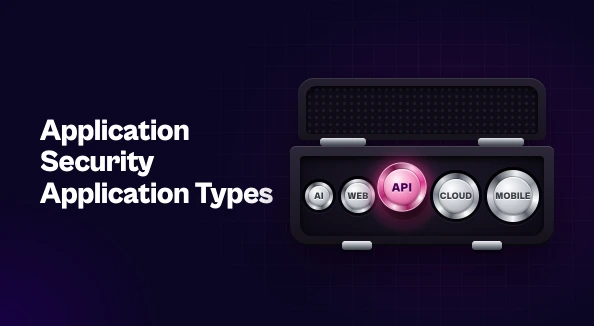
Different application types face different risks, so each needs its own controls and testing. Web apps need input validation, server-side access control, and SAST and DAST testing. Mobile apps run on untrusted devices, so they need secure storage, encrypted communication, and protection against reverse engineering. APIs need discovery, object-level authorization, and rate limiting. Cloud-native apps need image and IaC scanning, secrets management, and least privilege. AI-powered apps need input and output filtering and limits on what models can access or do. Across every type, prioritize by real risk and consolidate findings so the most important issues get fixed first.
Most organizations don’t run a single kind of application. A typical portfolio has customer-facing web apps, mobile apps, a growing set of APIs, containerized services in the cloud, and now AI-powered features. Each is built differently, deployed differently, and attacked differently.
That’s why a single generic checklist rarely holds up. Looking at application security application by application, type by type, shows where the real risks are and which controls and testing methods address them. This guide covers the main application types, the weaknesses each one tends to have, and how to secure them.
Why Application Type Changes Your AppSec Approach
Application security is the practice of finding, fixing, and preventing security weaknesses in software across its lifecycle. The goals stay the same for every app: protect data, prevent unauthorized access, and keep services available. How you get there depends on what you’re protecting.
Every application type exposes a different attack surface. A web app runs on servers you control. A mobile app runs on devices you don’t. An API may have no user interface at all, and a cloud-native app can be rebuilt and redeployed many times a day. So the application security threats that matter most, and the tools that catch them, change with the application type.
Securing Web Applications
Web applications are the most familiar target. They’re publicly reachable, they handle user input constantly, and they often sit in front of sensitive data.
Common risks. The OWASP Top 10 is the standard reference here. It includes broken access control, injection flaws such as SQL injection and cross-site scripting, security misconfiguration, and authentication failures.
Key controls. Validate and sanitize all user input. Use parameterized queries. Enforce access control on the server side, never in the browser alone. Handle sessions securely, with short-lived tokens and secure cookie flags. A web application firewall (WAF) adds a useful protective layer, but it shouldn’t stand in for secure code.
Testing. Static application security testing (SAST) catches insecure code patterns during development. Dynamic application security testing (DAST) probes the running application from the outside, the way an attacker would, and finds issues like misconfigurations that static analysis can’t see.
Securing Mobile Applications
The defining challenge with mobile apps is that the code runs on devices you don’t control. Attackers can download your app, decompile it, and study how it works.
Common risks. The OWASP Mobile Top 10 highlights insecure data storage, insecure communication, improper credential usage, and insufficient binary protections. Hardcoded API keys and sensitive data cached on the device are frequent findings.
Key controls. Keep secrets off the device wherever you can. Use the platform’s secure storage (Keychain on iOS, Keystore on Android) for anything that has to stay local. Enforce TLS and consider certificate pinning for sensitive traffic. Obfuscate code to make reverse engineering harder.
Testing. Mobile application security testing (MAST) combines static analysis of the app binary with dynamic testing on real or emulated devices. Keep in mind that most mobile apps depend on backend APIs, and that’s often where the more serious weaknesses are.
Securing APIs
APIs connect mobile apps, web front ends, partners, and internal services. They’re also one of the most targeted parts of modern applications, because they expose data and business logic directly.
Common risks. The OWASP API Security Top 10 is led by broken object-level authorization (BOLA), where an attacker changes an ID in a request to reach someone else’s data. Broken authentication, overly permissive data responses, and missing rate limits are also common.
Key controls. Start with discovery, because you can’t secure APIs you don’t know exist. Shadow and deprecated endpoints are a regular source of exposure. Enforce authorization on every object, not just at login. Validate requests against a defined schema, return only the data the client needs, and apply rate limiting.
Testing. General-purpose DAST tools often miss API logic flaws. API-specific testing that understands your schemas and authorization model gives far better coverage.
Securing Cloud-Native and Containerized Applications
Cloud-native applications are made of microservices, containers, and infrastructure defined as code. Much of their risk sits in how they’re built and configured, rather than in the application code itself.
Common risks. Vulnerable packages in container base images, misconfigured infrastructure-as-code (IaC) templates, secrets committed to repositories, and workloads running with far more permissions than they need.
Key controls. Scan container images before deployment and rebuild them regularly from minimal, trusted base images. Scan IaC templates for misconfigurations before they reach production. Store secrets in a dedicated secrets manager. Apply least privilege to workloads and service accounts. On the infrastructure side, cloud security posture management helps catch misconfigurations that slip through.
Testing. Pipeline checks catch issues before deployment, and runtime protection catches what only shows up in production. Because these environments change constantly, point-in-time testing isn’t enough.
Securing AI and LLM-Powered Applications
AI features bring a new class of risk. Large language models take natural-language input, produce unpredictable output, and are increasingly given access to data and tools.
Common risks. The OWASP Top 10 for LLM Applications lists prompt injection, sensitive information disclosure, improper output handling, and excessive agency, where a model or agent can take actions beyond what it should.
Key controls. Treat model input and output as untrusted. Filter prompts and validate responses before passing them to other systems. Limit what data the model can reach and what actions it can take, and require human approval for high-impact operations. Log and monitor model interactions so misuse can be detected. For a broader look at how AI is reshaping the field from the defender’s side, see our guide to AI in application security.
What Every Application Type Has in Common
The specifics vary, but a few principles apply across the whole portfolio.
Open source is everywhere. Web, mobile, API, and cloud-native apps all rely heavily on third-party components. Software composition analysis (SCA) belongs in every pipeline, whatever the application type.
Security belongs in the SDLC. Threat modeling at the design stage, checks in CI/CD, and monitoring in production work better than testing bolted on at the end. This is the core idea behind DevSecOps.
Severity isn’t the same as risk. A critical CVE in an internal tool may matter less than a medium-severity flaw in a public-facing API. Effective vulnerability prioritization weighs exploitability, exposure, and business context, not just scores.
More app types mean more fragmented findings. Each application type brings its own testing tools, and each tool reports in its own format. Without a way to consolidate and correlate those findings, which is the problem ASPM addresses, teams spend their time triaging duplicates instead of fixing real issues.
Building Security Around the Apps You Actually Run
There’s no single way to secure every application. Web apps need strong input handling and server-side access control. Mobile apps need protection on untrusted devices. APIs need discovery and object-level authorization. Cloud-native apps need secure images and configuration. AI applications need limits on what models can see and do.
A strong application security program matches controls and testing to each application type, then brings the results together so the most important issues get fixed first. Start by mapping what you run, identify the gaps for each type, and build coverage from there.

Stay updated on Seemplicity blog
Subscribe today to stay informed and get regular updates from Seemplicity.